
Bringing AI into applications isn’t about flashy features—it’s about helping people get things done with confidence. As more and more teams roll out AI integrations, the best experiences guide users, remove friction, and make complex tasks feel manageable. Behind the scenes, design systems provide a well-thought out and consistent framework, ensuring interactions not only look great, but are reliable, and easy to understand.
With this foundation, software stops being a maze of steps and becomes a true problem-solving partner. Everyday tasks that once required checking, guessing, or second-guessing can now be handled quickly and confidently, keeping us moving forward.
Current State
Imagine you’re a Product Manager, trying to figure out if your team can meet a client deadline. Traditionally you would navigate multiple screens, apply filters, click through several records, grab the information you think you need, and do some rough calculations. Finally, after putting it all together you get your answer. Then the next question pops up, and you’re back at it again.
This is the reality many users face every day, and the state of many of the applications we see come through our doors. Good UX has always been about making things easier for people, helping them find where to take action, guiding them with clear design and content, giving feedback, handling errors, and keeping everything connected behind the scenes.
Even with the best workflows, it still takes some mental juggling, and you just want an answer to your question.
How AI can help
Picture the same situation, but in a system with AI chat. You’re able to type the problem out that’s in your head: “Which tickets in the upcoming sprint could impact our chances to hit our deadline?” Immediately, you get a clear answer, a breakdown of potential blockers, and suggested actions. A subtle title explains: “Based on previous project timelines.” You can approve, tweak, or dive deeper into the data with a single click.
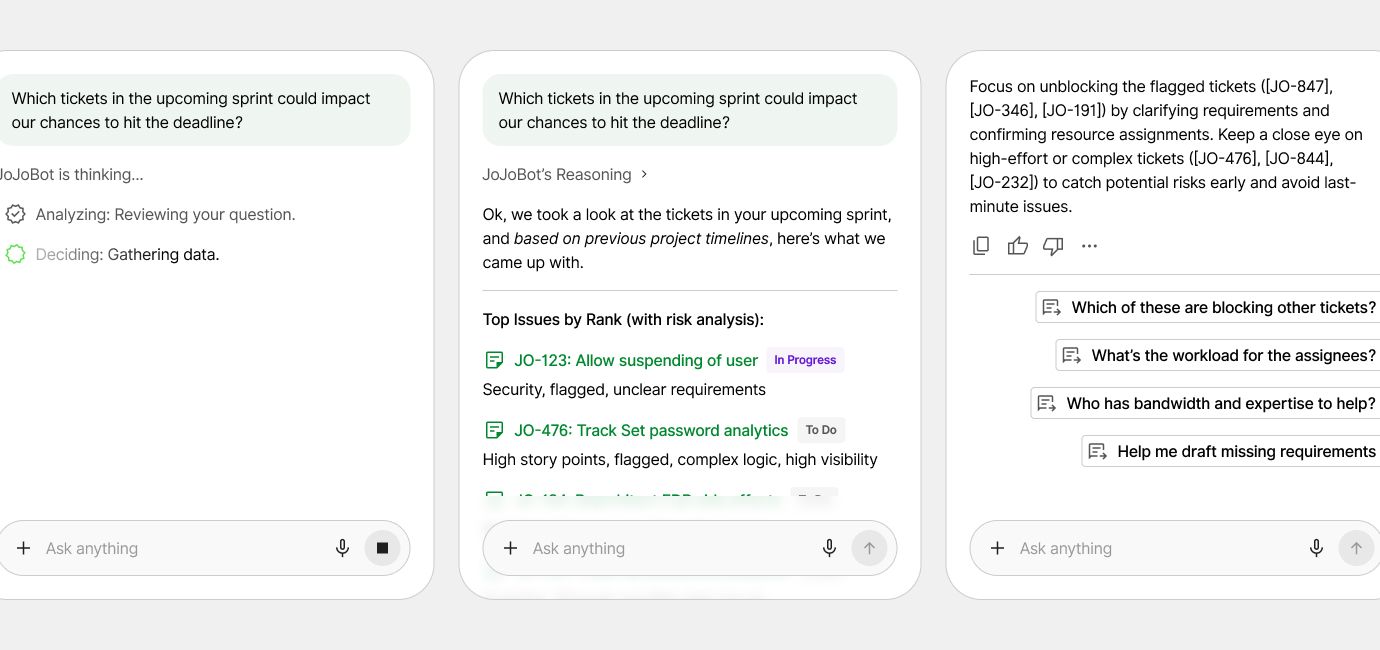
It’s a huge improvement. Instead of fighting through menus and math, you can focus on decisions that matter. Not only is it faster, but it feels like the software finally understands how you work. This simple example illustrates how AI can turn everyday tasks from tedious checking and guessing into quick, confident decisions that keep projects moving forward.
Even with chat delivering instant answers, users still need dedicated spaces to explore, browse, and interact with content. As designers, our surface area is growing: we now need to consider not just individual components, but how multiple interaction modes—AI, visual exploration, and traditional navigation—work together seamlessly. This expansion requires careful attention to consistency, context, and user control across every part of the experience.
Designing for the Unpredictable
We’re not just building static screens and workflows anymore—we’re creating flexible, adaptive experiences that keep up with how people need to work. We define how AI should communicate, when humans are in control, and how systems maintain trust and accessibility at scale. But AI introduces unpredictability and this is where a strong design system really counts. Components, behaviors, and the overall look stay consistent even as we add new ways to interact. Buttons, labels, form elements look as you would expect, ranked suggestions follow familiar patterns, and feedback flows stay predictable.
In addition to helping users, the design system helps developers move faster and ship confidently by providing a framework to follow. With a solid design system, developers don’t have to reinvent components or worry about breaking the user experience when AI introduces new behaviors. A shared language, reusable code, and guardrails make implementation safer and more predictable.
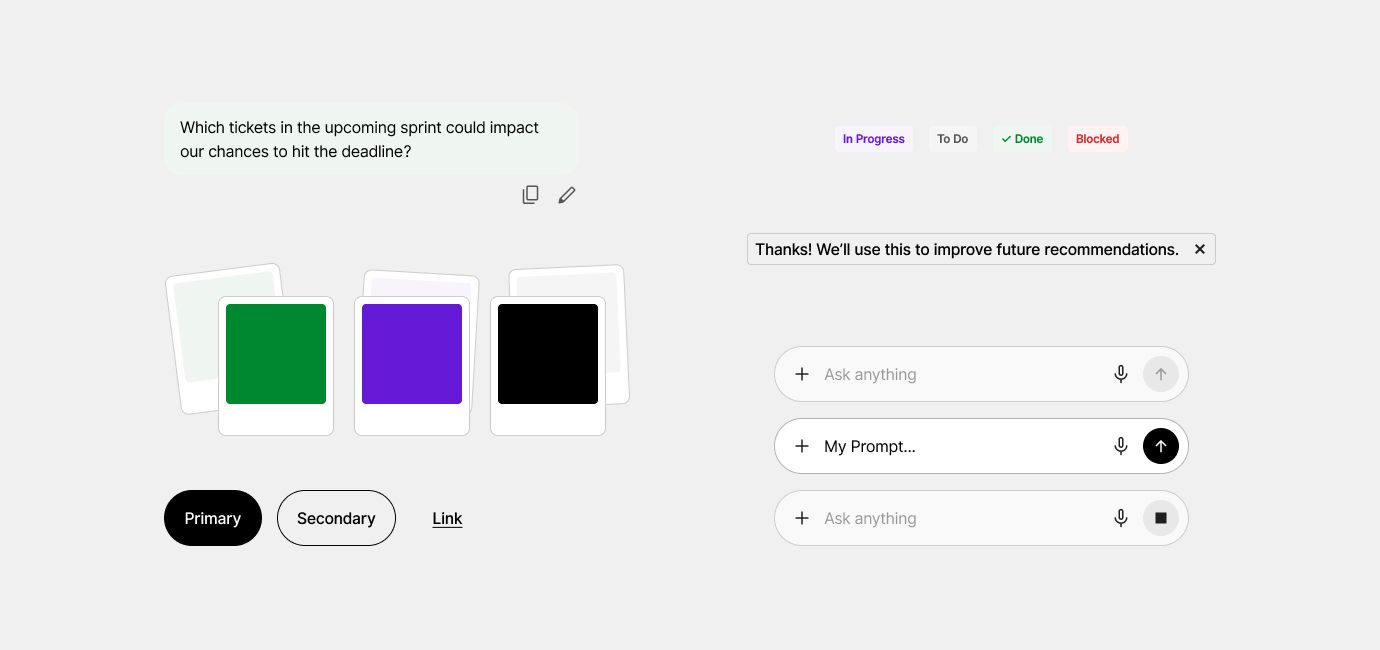
That consistency builds trust. Whether the AI suggests a new option or updates a workflow, the interface still behaves the same. Clear feedback, built-in accessibility, and familiar patterns keep the experience stable as the app learns and adapts.
Putting the User First
Every interaction should put the user first. You’re in control—you can edit or undo suggestions, approve things, or stick to your own plan. You can see why recommendations show up, understand the reasoning, and make corrections that the system will learn from. Context awareness helps you pick up right where you left off, with prompts like “Resume Here” or easy reset options. Little things like tooltips, confirmations, and highlights build trust and keep the experience clear and easy to use.
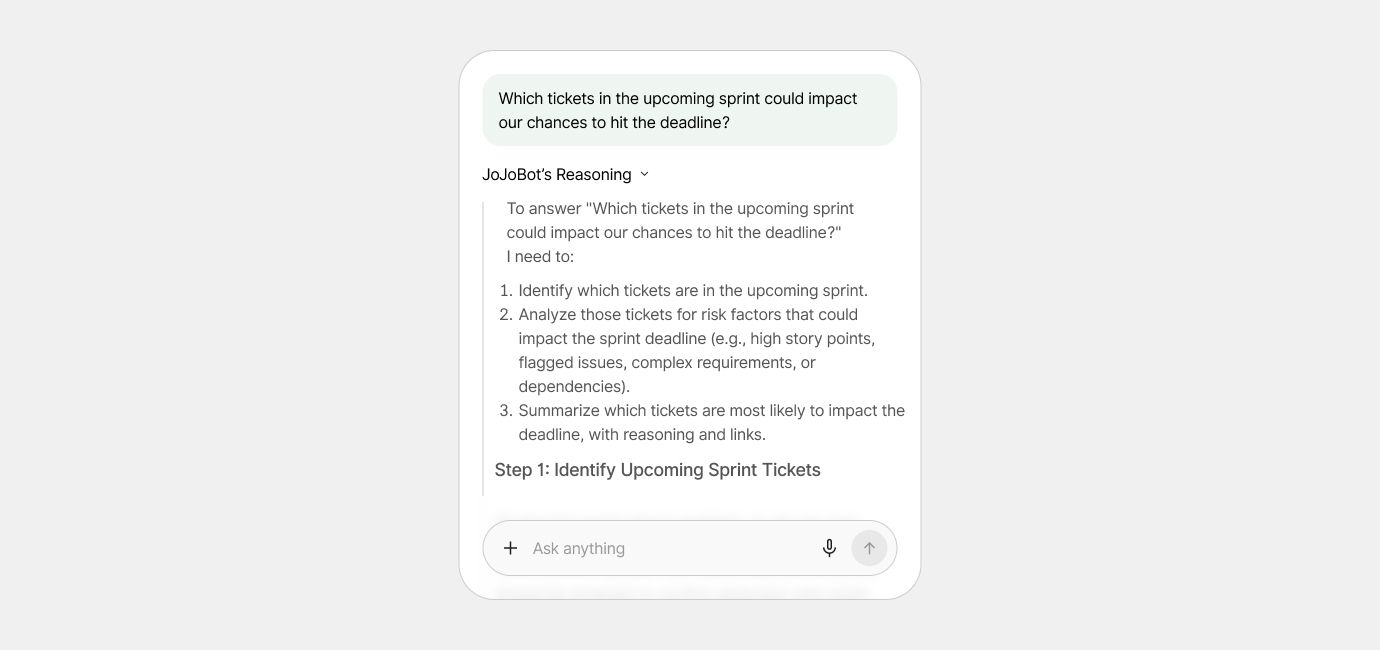
When AI is integrated with thoughtful design, applications stop being just tools and start becoming true partners. By keeping interactions consistent, maintaining context, and giving users control, complex tasks feel simpler and decisions come faster. In the end, it’s not about the technology itself—it’s about creating experiences that empower people, build trust, and help them focus on what really matters.